
Download Story Planner – Comprehensive Writing Tool for Novelists & Screenplay Writers
Overview
Story Planner is a purpose‑built planning application designed for novelists, screenplay writers, and any creator who needs a robust framework to map out complex story projects. The software offers a drag‑and‑drop interface that lets writers break a manuscript into bite‑size components—characters, settings, scenes, and arcs—so they can visualize the narrative structure at a glance. Whether you are drafting a ten‑chapter novel or a multi‑episode television script, Story Planner provides a secure environment for brainstorming, outlining, and refining every element of your story.
One of its standout qualities is the seamless export capability: finished outlines can be saved as .txt, .pdf, or .rtf files, and the program integrates smoothly with industry‑standard tools such as Final Draft and Scrivener. This makes it easy to move from planning to actual writing without losing any data. The application also supports unlimited projects, meaning you can keep multiple drafts, spin‑offs, or collaborative works in a single, organized workspace.
For writers who struggle with pacing, character balance, or plot consistency, Story Planner’s statistical dashboards and timeline features deliver actionable insights that help tighten the story’s flow before a single word is typed. In short, the tool is a secure, constantly updated solution that promises to turn chaotic ideas into a polished, production‑ready outline.
Core Features & Advanced Tools
- Drag‑and‑drop scene and character organization for instant structural changes.
- Unlimited project creation – keep novels, screenplays, and short stories separate.
- Export options: .txt, .pdf, .rtf, plus direct compatibility with Final Draft and Scrivener.
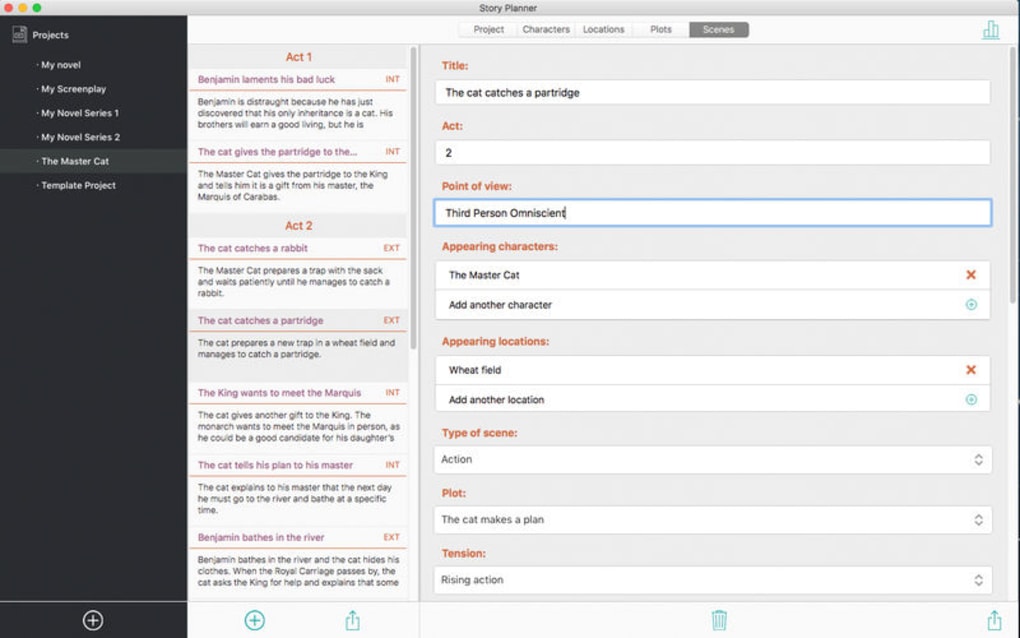
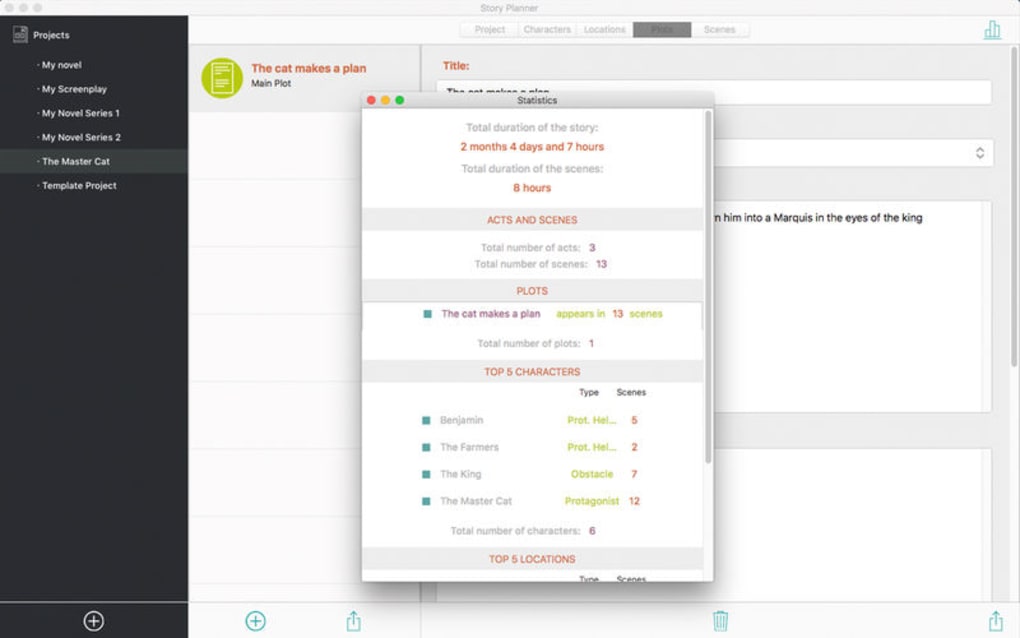
- Statistical overview: character screen time, setting frequency, and scene length analysis.
- Automatic timeline: dates are assigned to each scene, helping maintain chronological consistency.
- Customizable templates for different writing formats (novel, TV script, feature film).
- Cloud‑sync for secure backup and cross‑device access.
- Built‑in word‑count tracker and progress meter to keep you motivated.
Why These Features Matter for Writers
The drag‑and‑drop board eliminates the need for endless scrolling through endless document pages; you can reposition entire arcs with a single click, which is especially valuable during the revision stage. Unlimited projects mean that you no longer have to juggle separate folders or external spreadsheets; every idea lives in a dedicated workspace that can be archived or duplicated at any time. Export flexibility ensures that you can hand off your outline to editors, co‑authors, or production teams without worrying about file incompatibility.
The statistical dashboards act like a health check for your manuscript, instantly flagging over‑used characters or under‑developed settings so you can rebalance before you’re deep into the draft. The timeline feature is a game‑changer for historical or futuristic narratives where chronological accuracy is crucial; each scene automatically inherits a date stamp, allowing you to spot gaps or inconsistencies at a glance. Finally, cloud sync guarantees that your work is safe from hardware failure and accessible whether you’re at a desktop, laptop, or tablet, making the planning process truly mobile and secure.
Installation, Usage & Compatibility
Installing Story Planner is straightforward and designed for writers who value speed over technical hassle. After purchasing or selecting the free trial, click the Download button on the official website. The installer is available for Windows 10/11, macOS 10.13 or later, and also offers a lightweight web‑app version that runs on any modern browser, ensuring cross‑platform accessibility. During installation, the wizard guides you through standard steps—accepting the license agreement, choosing an installation folder, and opting into automatic updates. These updates are delivered securely via HTTPS, guaranteeing that you always have the latest bug fixes and feature enhancements without compromising your data.
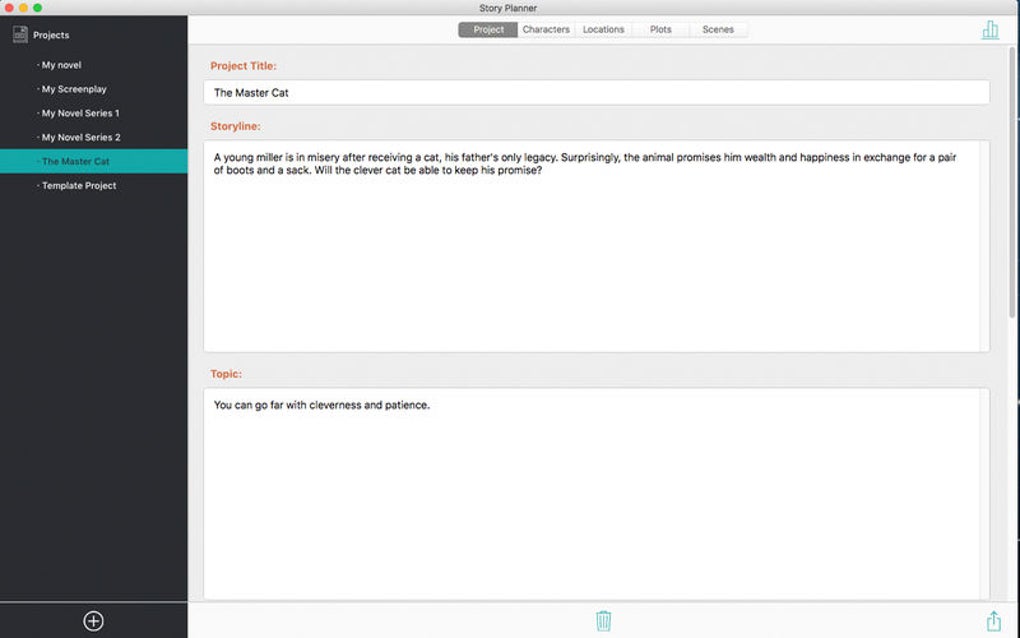
Once installed, launch Story Planner and you’ll be greeted by a clean dashboard. Begin by creating a new project: give it a title, select a template (novel, screenplay, or custom), and hit “Create.” The main canvas appears with three primary panels—Characters, Settings, and Scenes. To add a character, click the “+” icon, fill in details such as backstory, motivations, and relationships, and then drag the character card onto any scene where they appear. The same process applies to settings and scenes, allowing you to construct a visual map of your narrative. The built‑in help center offers video tutorials and a searchable knowledge base, so you can master advanced features like statistical reports or timeline editing within minutes.
Supported Operating Systems: Windows 10/11, macOS 10.13+, Linux (via web app), iOS (iPad only), Android (tablet mode). The web version ensures that writers on iOS or Android can still access their projects, albeit with a slightly reduced UI compared to the desktop experience.
For writers who collaborate, Story Planner includes a shared workspace mode. Invite co‑authors via email, assign editing permissions, and watch changes sync in real time. The export function supports direct sending to email or cloud storage services such as Google Drive, Dropbox, and OneDrive, making it simple to share outlines with agents, editors, or production teams. Overall, the installation process is designed to be painless, the usage intuitive, and the compatibility broad enough to cover the majority of writing environments.
Conclusion: Pros, Cons, FAQ & Call to Action
Pros & Cons
- Pros:
- Intuitive drag‑and‑drop interface speeds up outlining.
- Unlimited projects keep all works organized in one place.
- Robust export options and native compatibility with Final Draft & Scrivener.
- Statistical dashboards give instant insight into story balance.
- Automatic timeline adds chronological clarity for complex narratives.
- Cloud sync ensures data safety and cross‑device access.
- Cons:
- Web‑app version lacks some advanced desktop features.
- Learning curve for statistical reports may be steep for beginners.
- Pricing model is subscription‑based; no perpetual license.
Frequently Asked Questions
Can I use Story Planner on a Mac?
Yes, Story Planner offers a native macOS application compatible with macOS 10.13 and later, as well as a web version that runs on any modern browser.
Is there a free trial available?
A 14‑day free trial is provided with full feature access, allowing you to evaluate the software before committing to a subscription.
Can I export my project directly to Final Draft?
Yes, the export function includes a Final Draft‑compatible .fdx file, making it easy to continue writing in your preferred screenplay editor.
How does the timeline feature work?
When you create a scene, you can assign a specific date or let Story Planner auto‑generate one based on previous entries. The timeline view then visualizes these dates, helping you spot chronological gaps.
Is my data stored securely?
All cloud sync and backup operations use end‑to‑end encryption over HTTPS, ensuring that your manuscripts and outlines remain private and protected.
Final Verdict & CTA
Story Planner stands out as a dedicated, feature‑rich solution for writers who need more than a simple word processor. Its blend of visual organization, statistical insight, and seamless export options makes it a valuable addition to any author’s toolkit. While the subscription pricing may deter some, the productivity gains—especially for complex, multi‑character projects—often outweigh the cost. If you’re ready to bring structure to your ideas, boost your writing confidence, and keep every draft version safely backed up, download Story Planner today and start turning outlines into finished manuscripts with confidence.







